> For the complete documentation index, see [llms.txt](https://docs.datnoid.com/llms.txt). Markdown versions of documentation pages are available by appending `.md` to page URLs; this page is available as [Markdown](https://docs.datnoid.com/bridging-guides/ethereum-to-avalanche.md).
# Ethereum to Avalanche
ETH to AVAX Bridge guide
### Requirements
* An EVM wallet (like Metamask)
* ETH on Ethereum network, or USDC
When users bridge $75 or more of assets from the Ethereum or Bitcoin network to the Avalanche network, a portion of AVAX will be airdropped to help pay for initial swaps.
Visit to begin.
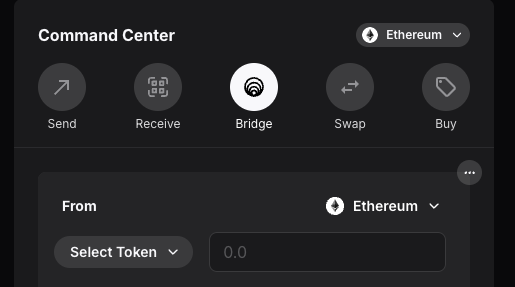
From there, make sure 'Bridge' is selected.
The *From* network will be Ethereum.
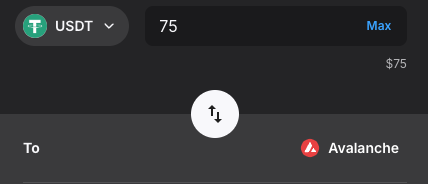
Select the Asset you are trying to bridge. (USDT/USDC/ETH) etc.
After that, click the bridge Tokens button.
confirm the transaction and the funds will be sent to the same address of your wallet, but on the Avalanche network.
If you bridge over $75 worth, you'll also receive some AVAX in order to cover gas costs.
It is highly recommended you swap your newly bridged assets for at least 0.1 AVAX in order to pay for several transactions without worrying about gas.
The wrapped asset on Avalanche is called **WETH.e**